Set Up Customer Matching

Set Up Customer Matching

Table of Content

Table of Content

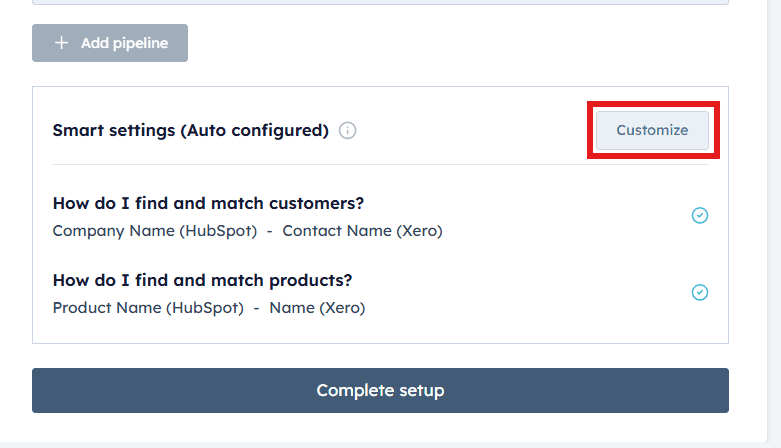
To begin customizing your customer mappings and preferences, click on the “Customize” button.
Company Matching Criteria (For Business Customers - B2B)
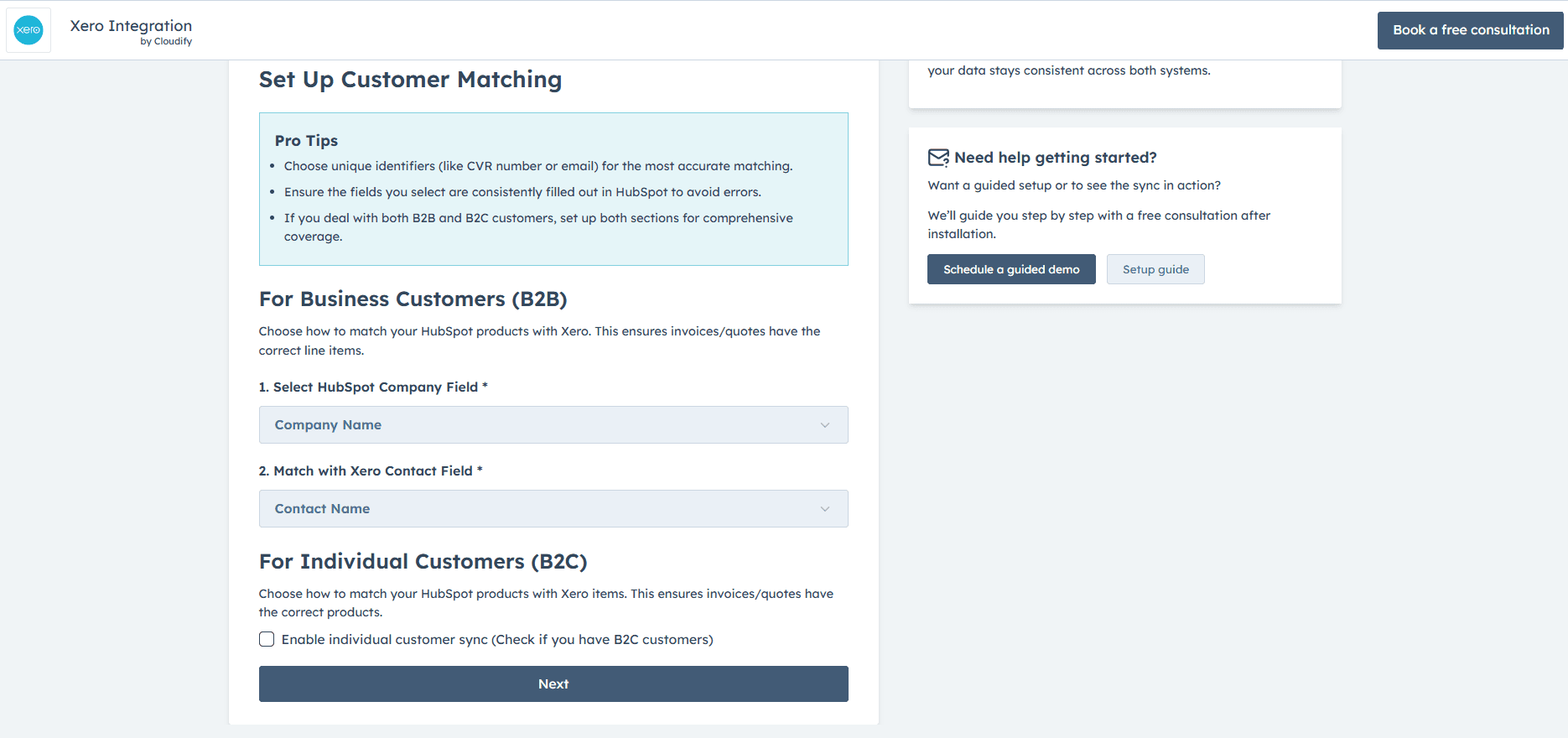
You can configure company matching criteria by selecting a field in HubSpot (e.g., Company Name, Email) corresponding to the chosen Xero field. This ensures both platforms refer to the same company data when syncing information, maintaining consistency across systems
Company Matching Criteria (For Business Customers - B2B)

Enable Individual Contact Sync (For Individual Customers - B2C)
Note: Enable this only if you deal with individual contacts as well

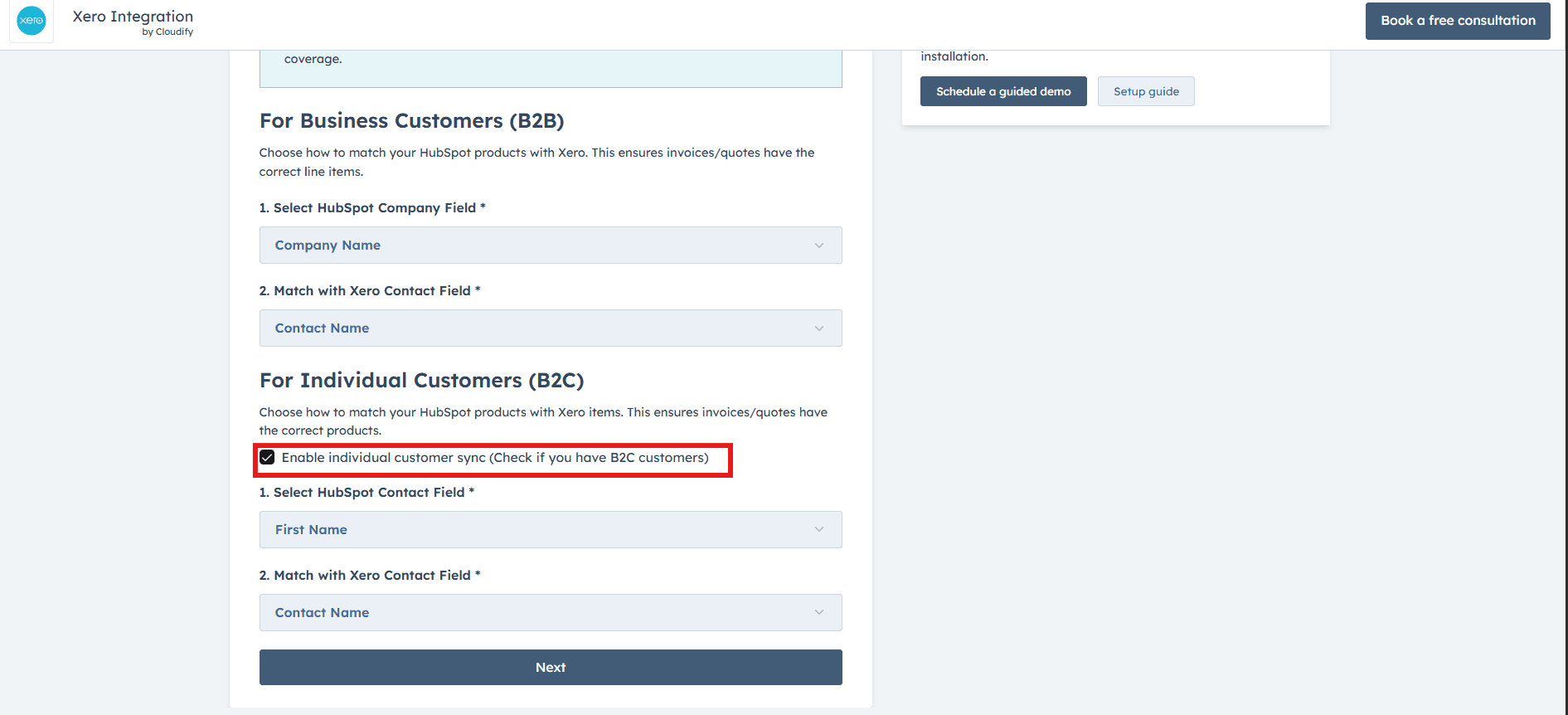
This feature is essential for businesses dealing directly with consumers. It allows the seamless addition of individual contacts from HubSpot to Xero as customers when there's no associated company. Therefore, if this is the case, tick “Enable individual customer sync”.

Company Matching Criteria (For Business Customers - B2B)
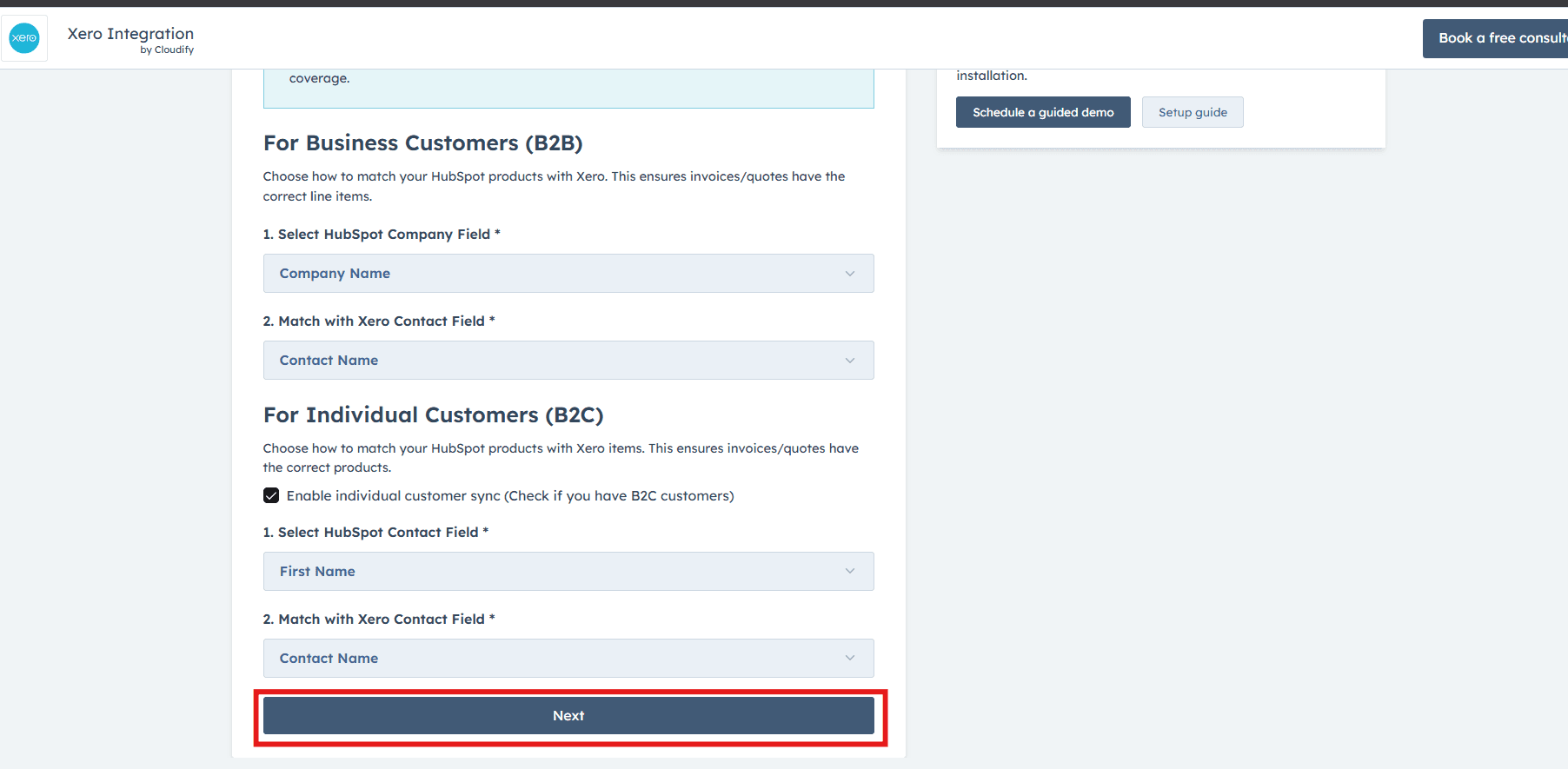
  • Once you have selected your preferences, click on the "Next" button.


    Company Matching Criteria (For Business Customers - B2B)

Got unique integration needs?

Our custom team can build tailored integrations, specialized data mappings, and workflow automations to perfectly match your specific business processes.