Trusted by the best







Active Merchants
Invoices Synced Weekly
Sync Reliability
Onboarding Call Included
How it works
Three steps. Fully automated
Cloudify handles customers, products, and invoices in sequence exactly how your Xero setup requires.

1
Customer
When an order arrives, we find or create the matching customer in Xero. Match by name, email, or any field you choose. Set default currency, tax treatment, and sales account per customer.
2
Product
We match the product to Xero by SKU or title. If it doesn't exist, we create it automatically — or use a default product. Your call. Sales price, description, and cost price mapped automatically.
3
Invoice
We create the invoice exactly how you want it — your trigger, your status, your account mapping. Shipping charges included as a line item. Refunds create credit notes automatically.

Advanced Configuration
Built for how accountants and serious merchants actually work
Every rule is configurable. Set it once and it runs automatically — for every order, every time.
Customer Rules
Control how Shopify customers map to Xero contacts.
Match customers by name, email, or custom field
Set default currency per customer
Assign default sales account
Country-specific sales accounts for international stores
Set tax treatment: inclusive, exclusive, or no tax
Product Rules
Control how Shopify products map to Xero items.
Match products by SKU, title, or direct link
Auto-create new products in Xero if not found
Or use a default product for unmatched items
Map sales price, cost price, and description
Include or exclude Shopify tax on invoices
Invoice Rules
Control when, how, and in what state invoices are created.
Trigger: on order created, on payment, or on fulfilment
Status: draft, awaiting approval, awaiting payment, or paid
Include shipping charges as an invoice line item
Send Xero invoice emails to customers automatically
Map reference, due date, invoice number, and currency
Everything handled for you
The features that matter most — built for reliability, not just functionality.
Every Order Becomes an Invoice
Shopify orders sync to Xero in real time. Products and customers created automatically. Nothing to copy, nothing to export.
See and Fix Any Failed Sync Instantly
If a sync fails, you see it immediately in your dashboard and retry with one click. No hunting for missing invoices at month-end.
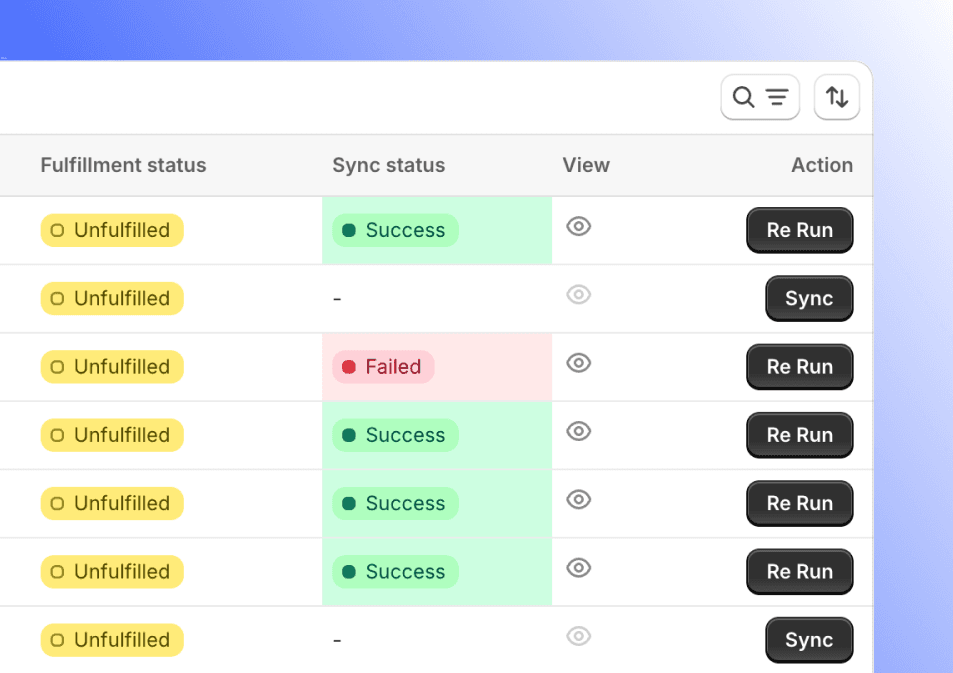

Test Before You Go Live
Run a demo sync with sample data. See exactly how your orders, customers, and products appear in Xero before switching on live sync.
Unified Integration Dashboard
Manage your entire Shopify-Xero integration from one unified dashboard. Monitor, control, and optimize everything in one place.
Simple, honest pricing.
Start free. Only pay for the invoices you sync. No monthly minimums, no lock-in.
What exactly does this integration do?
This integration helps you:
Turn your Shopify orders into Xero invoices automatically
Keep your Shopify and Xero product and customer data in sync
Monitor sync status through detailed logs within Shopify order notes
Handle refunds and shipping charges with ease
What happens when my 15 free invoices run out?
You'll be prompted to move to Pay As You Go. Your settings, field mappings, and rules stay exactly as they are — nothing resets.
Can I cancel any time?
Yes. No annual commitment, no cancellation fee. Cancel directly from your Shopify app settings.
Is the onboarding call really free?
Yes. Every new account gets a free setup call with our team to configure your customer matching, product rules, invoice triggers, and account mapping.
Can I control when invoices are created in Xero?
Yes. You choose the trigger: when the order is created in Shopify, when payment is recorded, or when the order is fulfilled. You also choose the invoice status — draft, awaiting approval, awaiting payment, or paid.
