


Visma e-conomic
Visma e-conomic
Visma e-conomic
Seamlessly integrate your Shopify store with Visma e-conomic for automated e-commerce accounting and syncing.

Visma e-conomic
Turn Shopify Orders into e-conomic Invoices Automatically.

Email support

Email support

Setup Guide

Setup Guide

Book a demo

Book a demo
Integration features


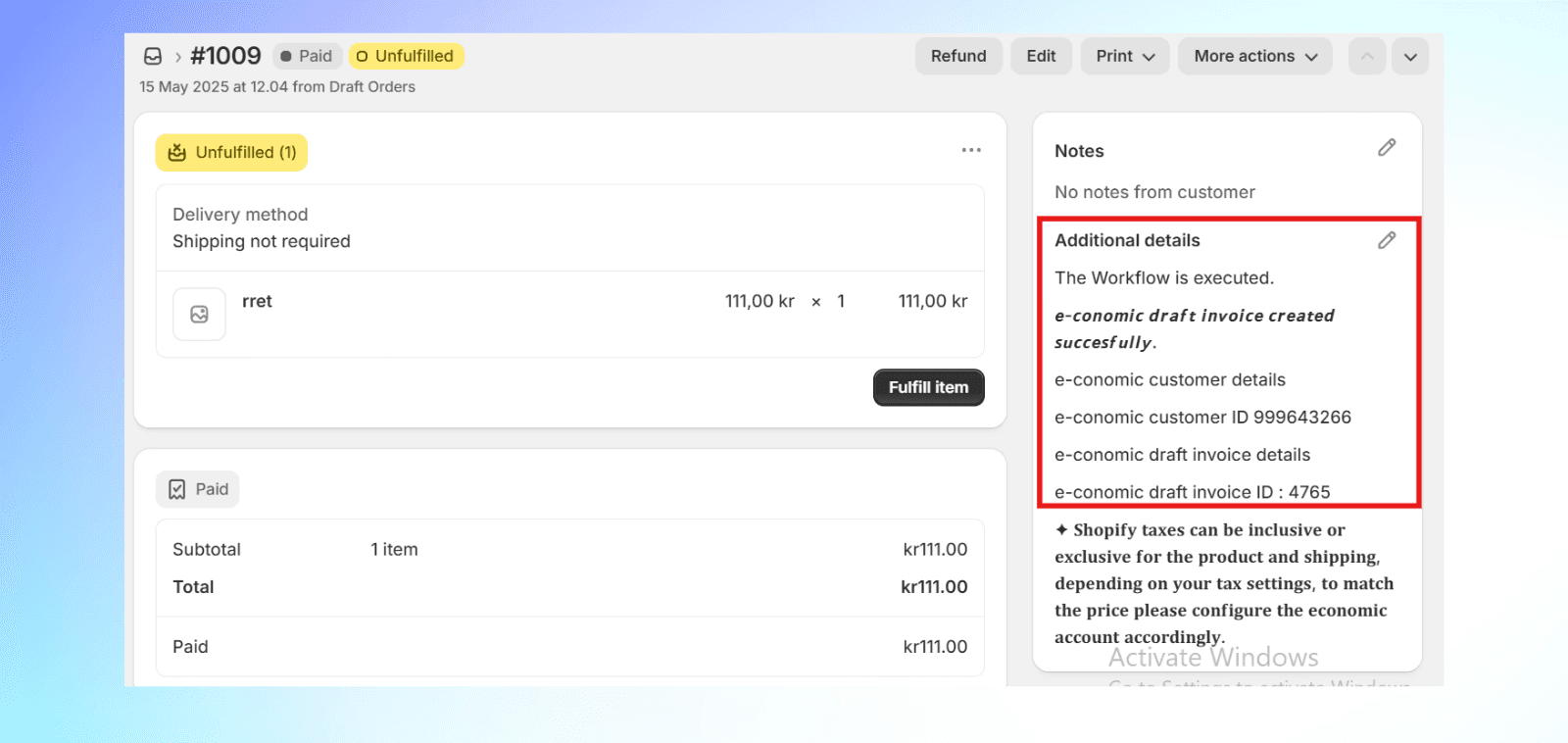
Automatic order to invoice creation
Effortless e-conomic invoice generation from Shopify orders, including shipping fees.
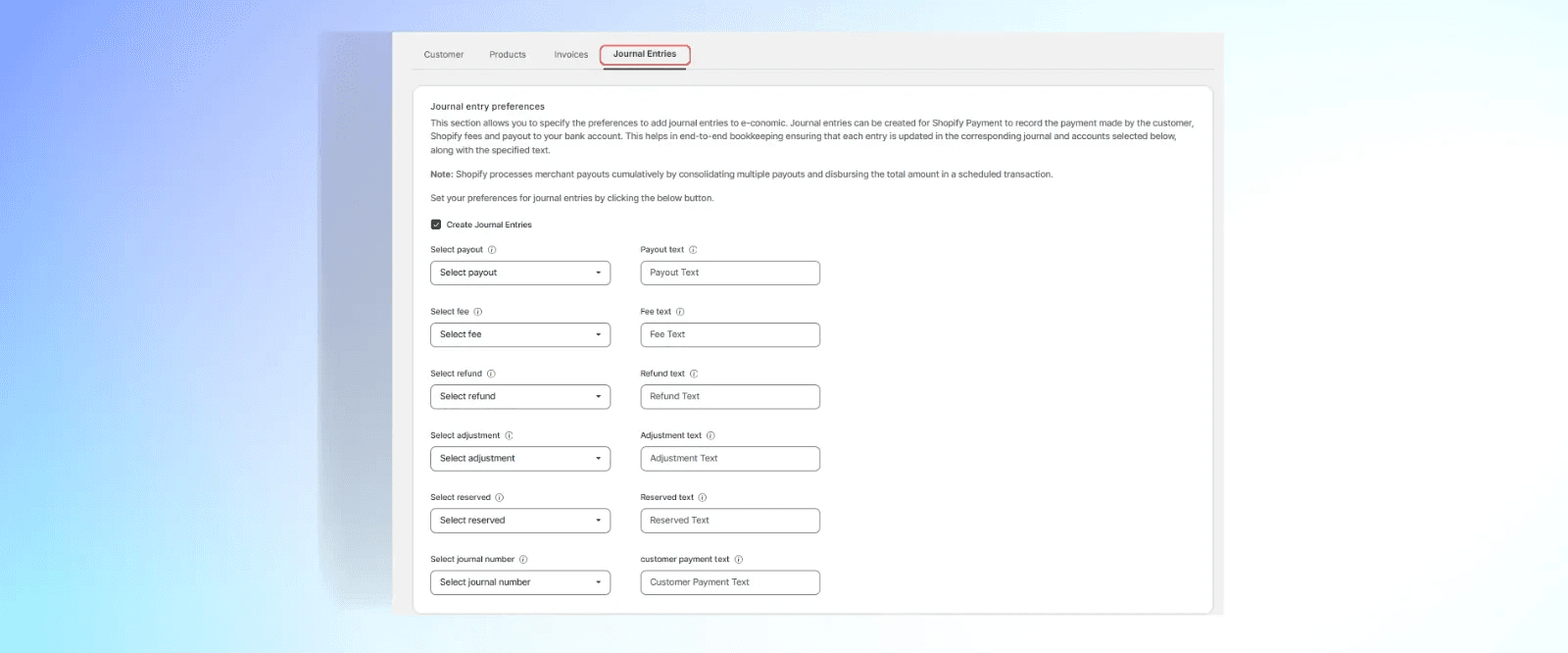


Journal entries for Shopify Payments
Automate journal entries for Shopify payouts, fees, and refunds.
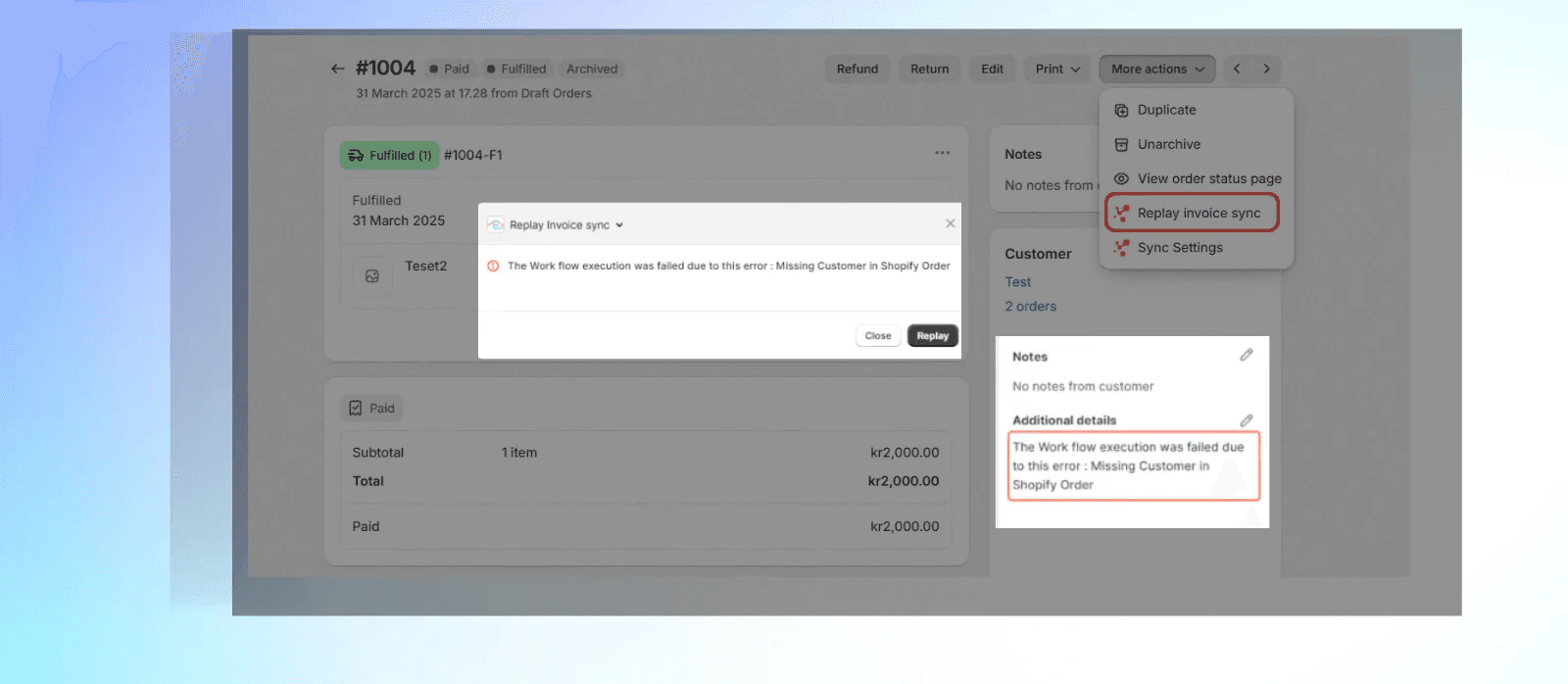


Replay Invoice Syncs
Option to replay errors and view detailed sync insights in order notes.
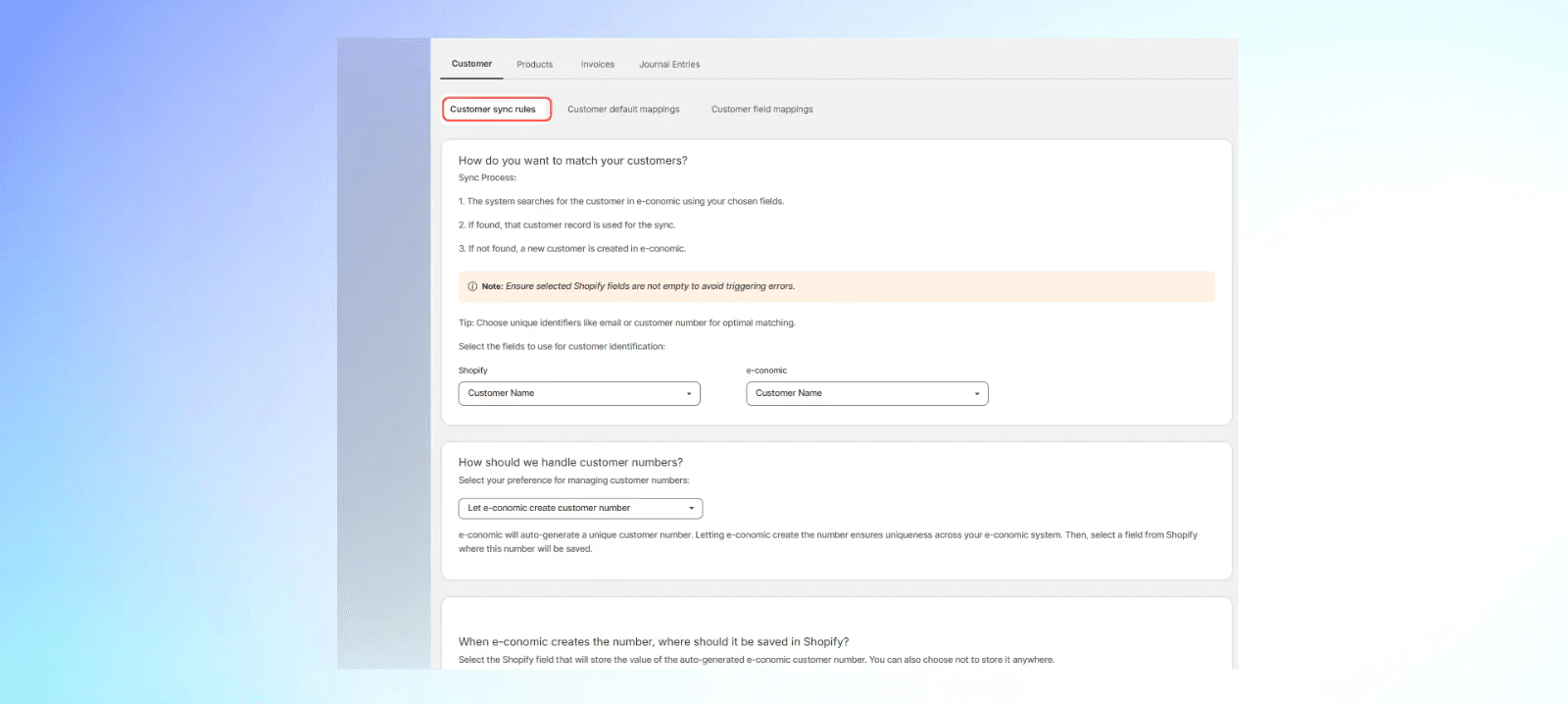


Customer and product sync
Ensure precise customer and product synchronisation between Shopify and e-conomic.
Pricing
Pricing
Pricing
Simple Pricing, Powerful Features
Features
Price
Create companies, products & invoices/orders from HubSpot → e-conomic
Custom rules & mapping for creating customers & invoices in e-conomic
Replay failed sync from HubSpot activity log
Unlimited manual company sync
Unlimited company & financial data update from e-conomic
Custom rules & mapping for creating customers in e-conomic
Create invoices/orders & products from HubSpot → e-conomic @ 1 DKK/sync
Custom rules & mapping for companies, products & invoices/orders
Custom integration build & tailored workflows
Dedicated implementation support
One-time setup fee (as applicable) + transaction-based monthly fee
Trial
$0
/month
Basic
$15
/month
Premium
$30
/month
Custom
Get a free quote
Features
Price
Create companies, products & invoices/orders from HubSpot → e-conomic
Custom rules & mapping for creating customers & invoices in e-conomic
Replay failed sync from HubSpot activity log
Unlimited manual company sync
Unlimited company & financial data update from e-conomic
Custom rules & mapping for creating customers in e-conomic
Create invoices/orders & products from HubSpot → e-conomic @ 1 DKK/sync
Custom rules & mapping for companies, products & invoices/orders
Custom integration build & tailored workflows
Dedicated implementation support
One-time setup fee (as applicable) + transaction-based monthly fee
Trial
$0
/month
Basic
$15
/month
Premium
$30
/month
Custom
Get a free quote
Features
Price
Create companies, products & invoices/orders from HubSpot → e-conomic
Custom rules & mapping for creating customers & invoices in e-conomic
Replay failed sync from HubSpot activity log
Unlimited manual company sync
Unlimited company & financial data update from e-conomic
Custom rules & mapping for creating customers in e-conomic
Create invoices/orders & products from HubSpot → e-conomic @ 1 DKK/sync
Custom rules & mapping for companies, products & invoices/orders
Custom integration build & tailored workflows
Dedicated implementation support
One-time setup fee (as applicable) + transaction-based monthly fee
Trial
$0
/month
Basic
$15
/month
Premium
$30
/month
Custom
Get a free quote
FAQ
FAQ
FAQ
Here are the answers to your questions
After reading this section, if you still has questions,
feel free to contact us however you want.
After reading this section, if you still has questions,
feel free to contact us however you want.
Q: What exactly does this integration do?
This integration helps you:
This integration helps you:Turn your Shopify orders into e-conomic invoices automatically
Keep your Shopify and e-conomic product and customer data in syncAutomate invoice generation and journal entries
Monitor sync status through detailed logsHandle refunds and shipping charges automatically
Q: What exactly does this integration do?
This integration helps you:
This integration helps you:Turn your Shopify orders into e-conomic invoices automatically
Keep your Shopify and e-conomic product and customer data in syncAutomate invoice generation and journal entries
Monitor sync status through detailed logsHandle refunds and shipping charges automatically
Q: What exactly does this integration do?
This integration helps you:
This integration helps you:Turn your Shopify orders into e-conomic invoices automatically
Keep your Shopify and e-conomic product and customer data in syncAutomate invoice generation and journal entries
Monitor sync status through detailed logsHandle refunds and shipping charges automatically
Can I set up the integration myself?
Yes, you can set up the integration on your own. The process is straightforward and well-documented. For detailed instructions, please refer to our Integration Setup Guide.
Can I set up the integration myself?
Yes, you can set up the integration on your own. The process is straightforward and well-documented. For detailed instructions, please refer to our Integration Setup Guide.
Can I set up the integration myself?
Yes, you can set up the integration on your own. The process is straightforward and well-documented. For detailed instructions, please refer to our Integration Setup Guide.
I've installed the app, but how do I start creating the invoices?
You can setup automatic invoice creation triggers in the Invoice Settings section of the app which is visible on the left panel of your Shopify admin page. Once done, as soon as your order is marked as Paid, Fulfilled or if you've selected to create instant invoices, the integration will create the invoice for you.
I've installed the app, but how do I start creating the invoices?
You can setup automatic invoice creation triggers in the Invoice Settings section of the app which is visible on the left panel of your Shopify admin page. Once done, as soon as your order is marked as Paid, Fulfilled or if you've selected to create instant invoices, the integration will create the invoice for you.
I've installed the app, but how do I start creating the invoices?
You can setup automatic invoice creation triggers in the Invoice Settings section of the app which is visible on the left panel of your Shopify admin page. Once done, as soon as your order is marked as Paid, Fulfilled or if you've selected to create instant invoices, the integration will create the invoice for you.
What support is available if I encounter issues with the app?
Being the official e-conomic partner, Cloudify offers dedicated customer support for the Visma e-conomic integration App. Should you face any challenges, our team is readily available to assist.

What support is available if I encounter issues with the app?
Being the official e-conomic partner, Cloudify offers dedicated customer support for the Visma e-conomic integration App. Should you face any challenges, our team is readily available to assist.
What support is available if I encounter issues with the app?
Being the official e-conomic partner, Cloudify offers dedicated customer support for the Visma e-conomic integration App. Should you face any challenges, our team is readily available to assist.
Implementation
Implementation
Implementation
