Finance Managers streamlining billing processes
Sales Teams needing real-time financial insights
Operations Teams automating business workflows

Visma e-conomic



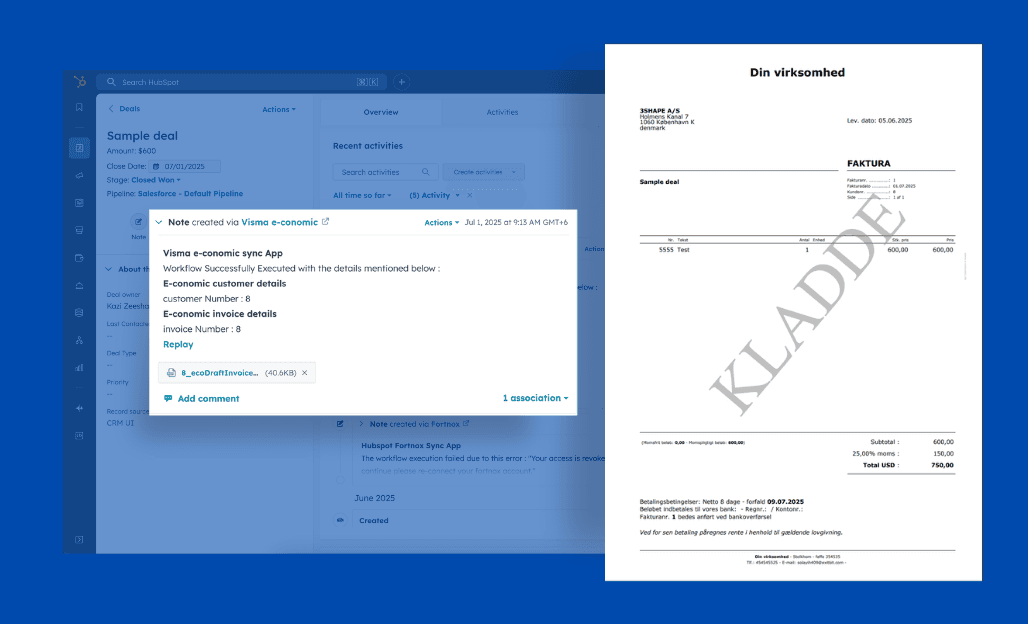
Automatic Deal-to-Invoice, Order or Quote Creation
Transform your billing process with instant HubSpot to e-conomic conversion.
Create invoices/quotes/orders automatically as deals progress, with flexible triggers for multiple pipelines.
Watch your documents sync automatically and check the integration status in your deals.
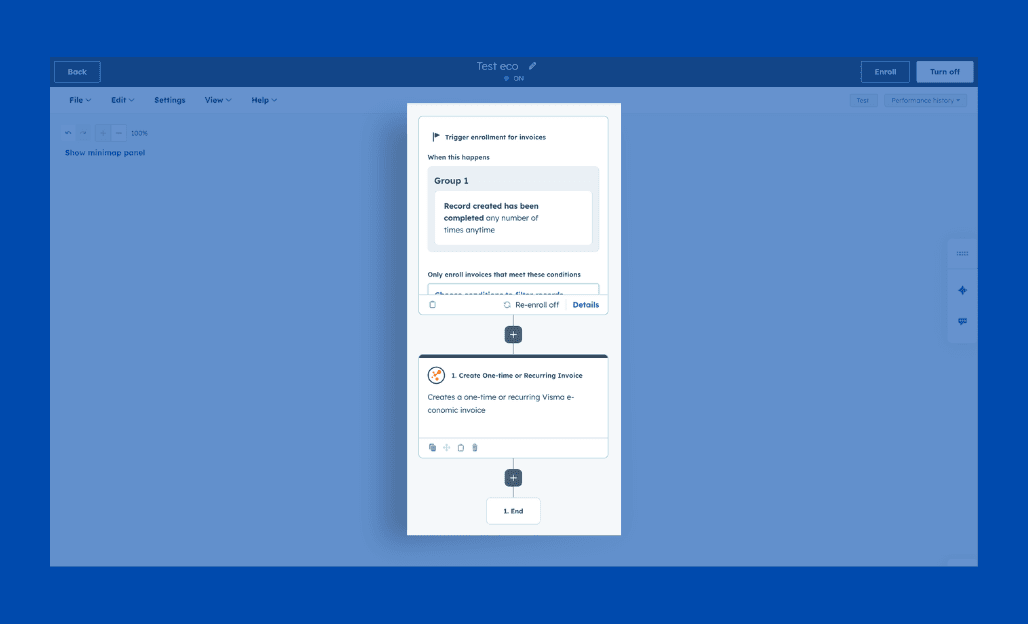
HubSpot Workflow-Actions: Automate Your Business Processes
Leverage HubSpot's workflow engine to automate your entire e-conomic integration.
Create and update customers, generate invoices/quotes/orders from Deals, and keep financial data current across both systems.
Design custom workflows for different business processes and create specialised rules for different customer segments.
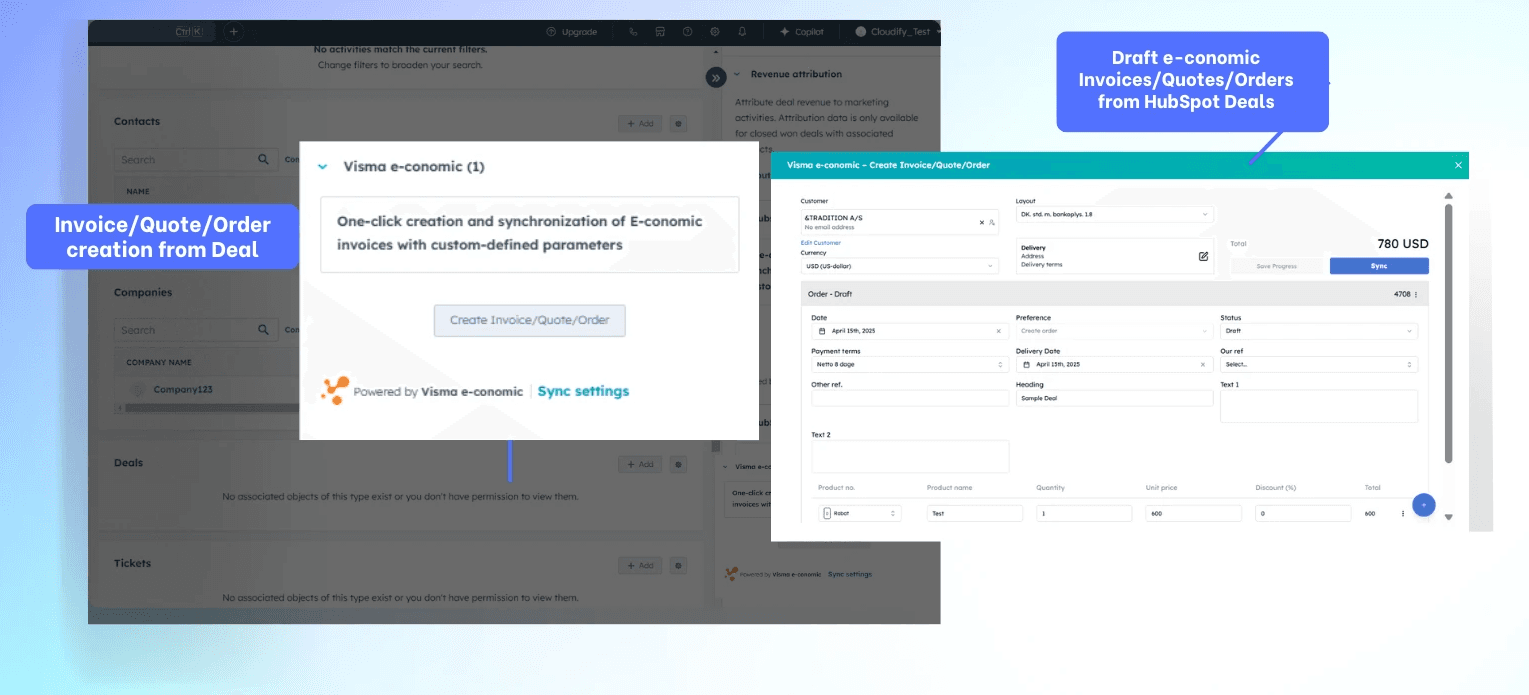
One-Click Invoice: Flexibility Meets Automation
Create and customise e-conomic invoices/orders and quotes directly from HubSpot Deals with complete control over payment terms, discounts and products with options to duplicate invoices.
Split invoices by percentage ratio for complex billing scenarios, review drafts before syncing, and maintain flexibility while saving time on manual entry.
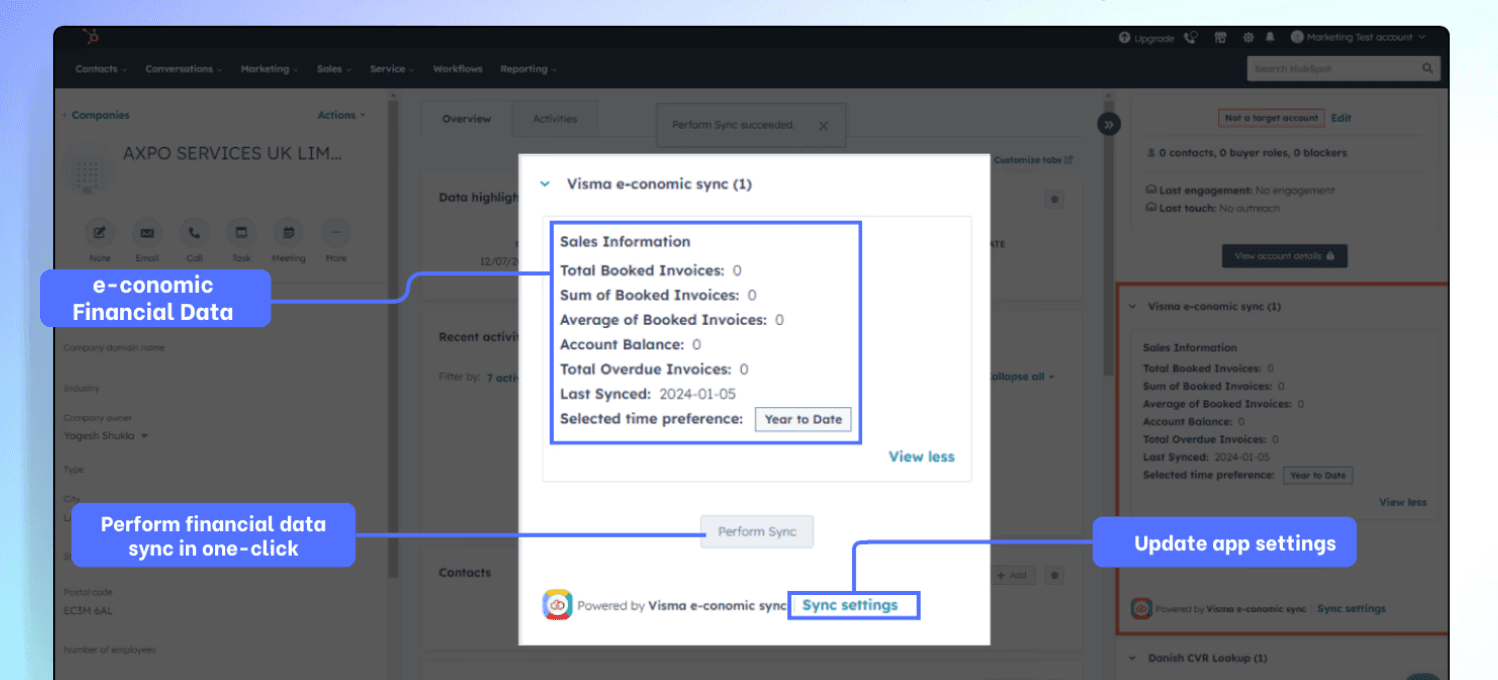
One-Click Financial Updates
Display up-to-date Visma e-conomic invoice data in HubSpot
Make informed decisions with real-time insights
Access comprehensive financial metrics without switching platforms
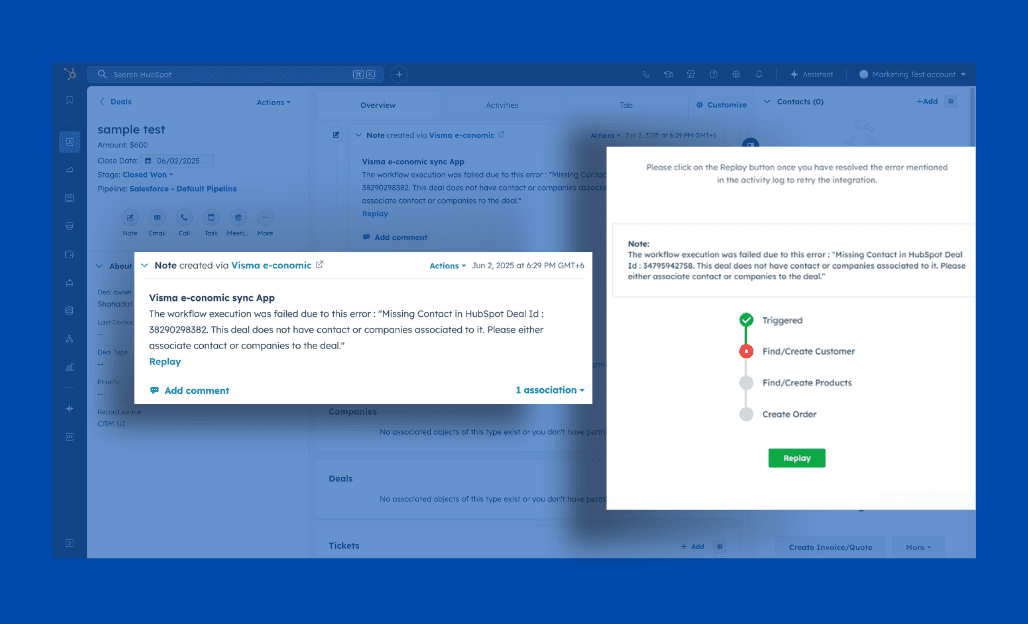
Instant Notifications: Never Miss a Critical Update or Sync
Stay on top of every sync action with automatic notification within HubSpot deal notes.
Receive detailed success messages with e-conomic information and clear error explanations, and use one-click replay to fix issues or update existing invoices/orders/quotes.
Perfect for maintaining accuracy and making quick updates as your deals evolve
FAQ
What property should I use to search for a customer in e-conomic during setup?
When setting up the integration, most users opt for properties like email, phone number, or VAT number. Choose a unique identifier consistently used across both systems to ensure smooth customer matching.
Can I set up the integration myself?
Yes, you can set up the integration on your own. The process is straightforward and well-documented. For detailed instructions, please refer to our Integration Setup Guide.
Can I choose the customer number in e-conomic during setup?
Absolutely! You can either let e-conomic auto-generate the customer number or pull it from a field in HubSpot, giving you flexibility in managing customer IDs.
What's the purpose of the replay feature in the error log?
The replay feature in the error log is a handy tool that lets you retry the sync process directly from HubSpot after you've corrected the issue that caused the failure, saving you time and hassle.